How to test Firebase Analytics events in real time
iOS
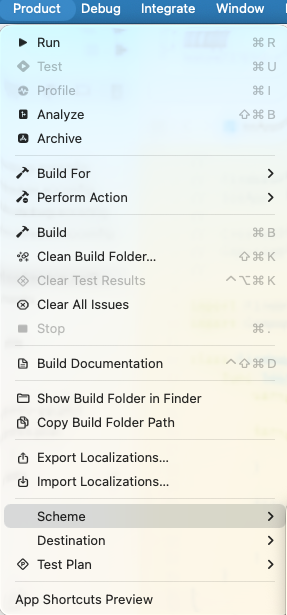
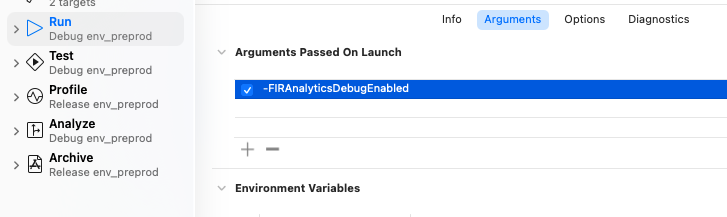
In Xcode, add the argument -FIRAnalyticsDebugEnabled in a scheme:
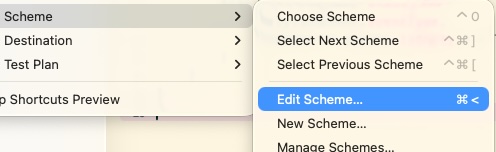
- Product => Scheme => Edit Scheme
- In the new window: Run => Arguments tab => add the argument in Arguments Passed On Launch
Android
Run the following ADB command in the terminal:
adb shell setprop debug.firebase.analytics.app my.app.ppRun the app, go to the Firebase Console to see your events in Realtime Analytics.
Comments
No comment yet.
A remark, a suggestion? Do not hesitate to express yourself below. Just be courteous and polite, please.