Water Tracker 1.4.0 – see your hydration history
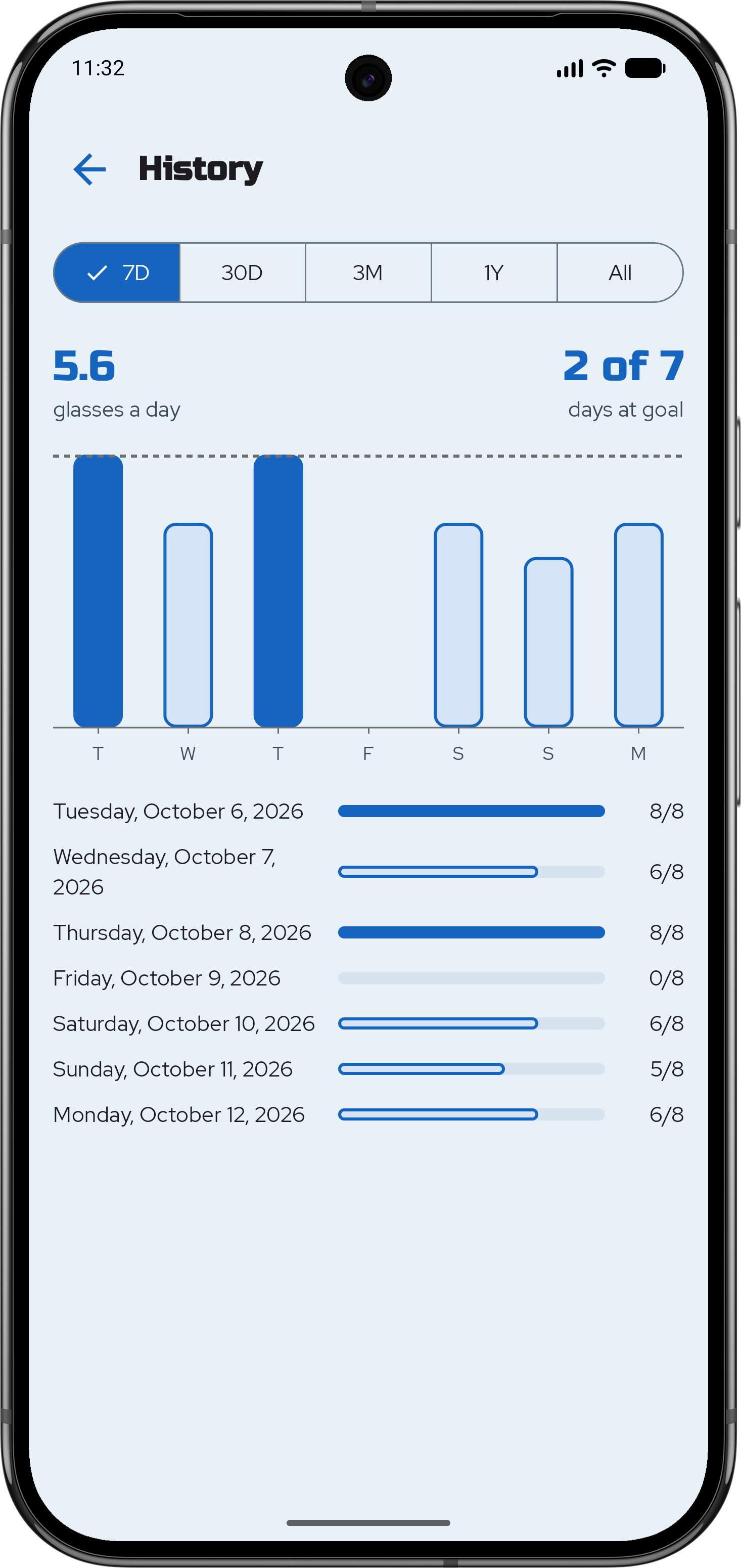
Water Tracker 1.4.0 adds a history screen: charts of how much water you drank, from the last 7 days back to your first logged glass. Like the rest of the app, it runs entirely on your phone. There's no account, no network and no tracking.
Under the hood
- One Compose Multiplatform codebase. The chart is drawn on a Compose
CanvasincommonMainand ships unchanged to Android and iOS. - No schema migration. One new Room query,
getLogsBetween(from, to), reads the range. A day with no row counts as zero glasses, so the database doesn't store empty days. - ViewModel with MVVM + Intent. It buckets the days into weeks or months and works out the averages. It takes an injected
kotlin.time.Clock, so the tests control the date, including the jump to a new year. - Axis labels that make room. Each label hangs from a tick. When two labels clash, the older one is dropped, and month and year boundaries keep their place.
- Adaptive layout. In landscape the chart sits beside the controls in two panes that scroll edge to edge. Below 600dp the page stacks.
Accessible from the start
TalkBack and VoiceOver read the figures the way they appear on screen. The frame picker is announced as a group of radio buttons, each chart says what one bar stands for ("weekly averages", "monthly averages"), and the average is announced when it changes. With large text, the frames show their full names. iOS UI tests check what VoiceOver reads, and Android device tests run the accessibility checks.
Also in 1.4.0
- The "jump to today" button moves near the right navigation arrow.
- A short date in the top bar, while screen readers still hear the full date.
- Compose Multiplatform 1.12.1, Kotlin 2.4.21 and Room 2.8.5.
Water Tracker 1.4.0 is available now on Google Play.
Comments
No comment yet.
A remark, a suggestion? Do not hesitate to express yourself below. Just be courteous and polite, please.