Search by tag: release
5 articles
MySimpleAccountManager 1.3.0
This update focuses on usability improvements and interface flexibility.
Key Changes
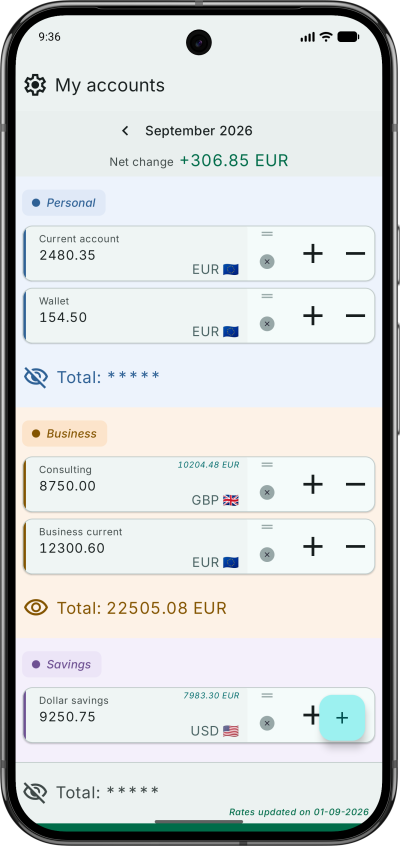
- Landscape Orientation: The app now fully supports landscape mode, as required per Android SDK 36+, allowing users to utilize wider screen real estate for account management.
- Account Reset: A dedicated button has been added to reset the account amount.
Try it now on the Google Play Store!

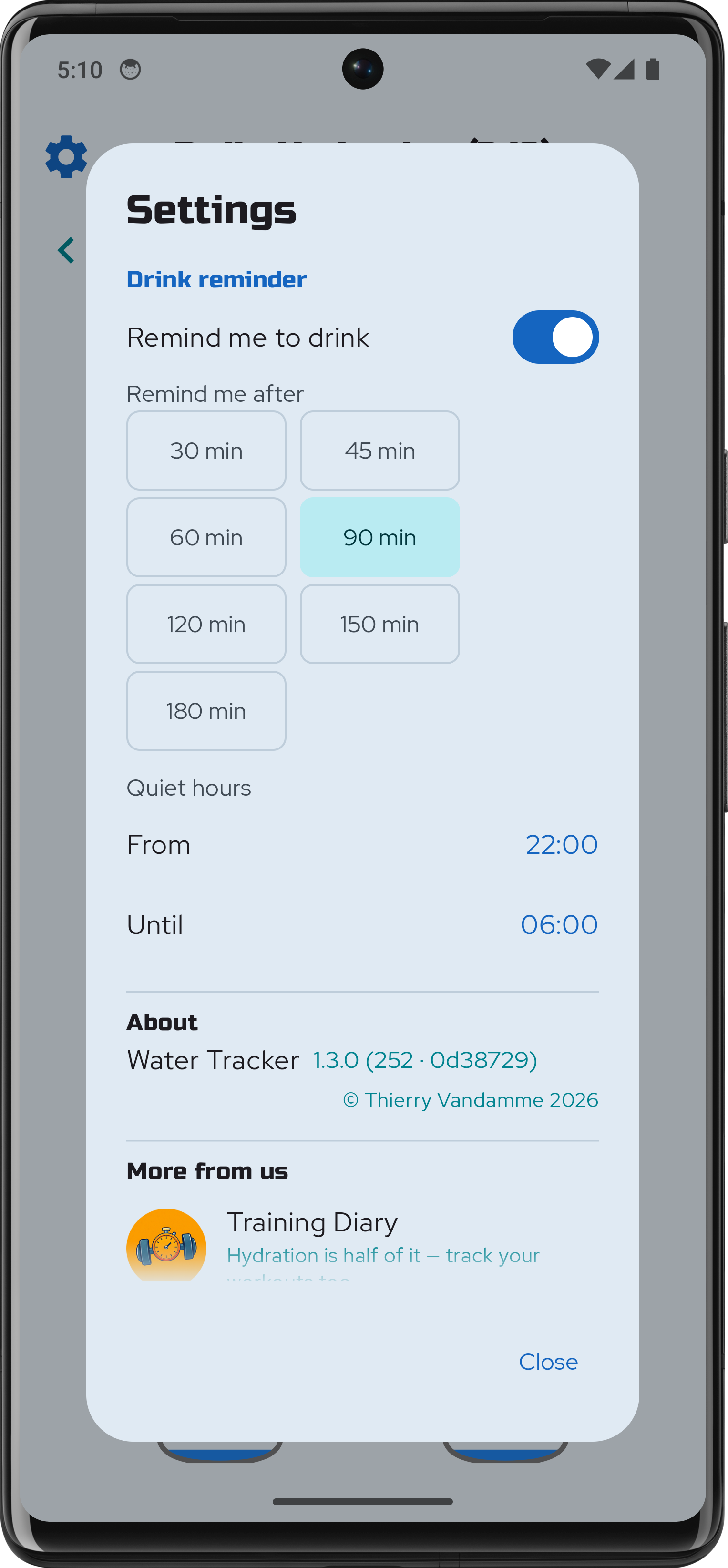
Water Tracker 1.1.0
Version 1.1.0 introduces updates focused on tracking accuracy and interface adjustments.
New Features
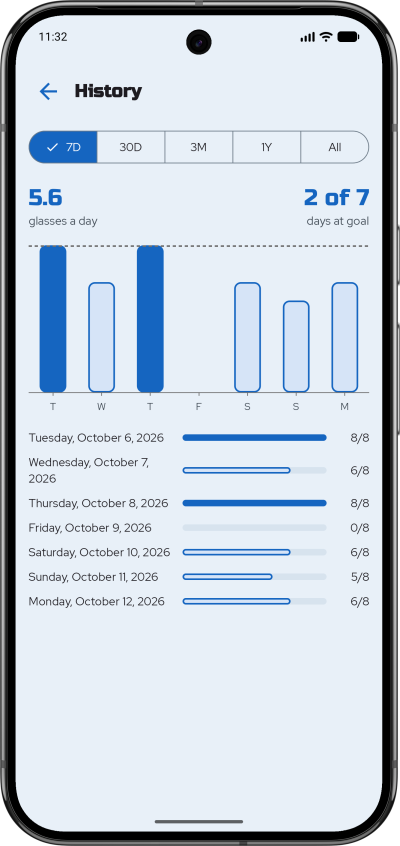
- Last Fill Indicator: Displays the timestamp of the most recent water entry to prevent duplicate logging during active sessions.
- Automatic Day Transition: The active tracking day updates automatically upon app resumption if the system clock has passed midnight, regardless of whether the app was in the foreground or background.
- Current Day Navigation: A dedicated button allows immediate return to the current date view from historical logs.
Accessibility
- Zoom Support: Improved compatibility with system-level zoom and larger text settings. Layout adaptation is functional across standard magnification levels, though some elements may not fully render at maximum zoom settings.
This update is available now on Google Play.
![]()
Water Tracker
Here is the release of a small hydration tracker, made with Compose Multiplatform (CMP). It is a lightweight, high-performance utility app for Android and iOS.
The goal was to create a seamless, reactive experience while keeping the UI layer entirely decoupled from business logic: the "Dumb UI" pattern, or more professional sounding: Unidirectional Data Flow (UDF).
To ensure the UI remains a pure projection of the state, I moved all logical operations—including orientation-based grid calculations (rows/cols), date formatting, and accessibility strings—into the ViewModel. Even the layout math, like chunking the list of 8 glasses into rows, is handled in the ViewModel. This makes the Composables "dumb" and easy to preview, while the entire user experience becomes unit-testable without an emulator.
The app uses Room for local persistence, leveraging its new Kotlin Multiplatform capabilities. A database factory handles path differences between Android’s internal storage and iOS’s document directory through the expect/actual pattern. Koin ensures dependency injection.
To match the new requirement of Android SDK 36+, the UI is adaptive to ensure a pleasant experience both in portrait and lanscape modes. The glass shape is drawn using the Canvas API, and I played with a few simple animations to smooth the state changes.
I also experimented with custom semantic roles and state descriptions, to fully support screen readers like TalkBack and VoiceOver.
My Simple Account Manager
I built a small utility app with Jetpack Compose to keep my accounts and spending under control. The project served two main purposes:
- Compose practice – develop a fully functional UI using Jetpack Compose, including a LazyColumn, swipe gestures (left/right) for extra actions, and drag‑and‑drop reordering of rows.
- Architecture practice – implement a classic MVVM stack with all the usual layers of a traditional app: network calls, queries to a local Room database, and read/write access to the device’s file system.
Main features
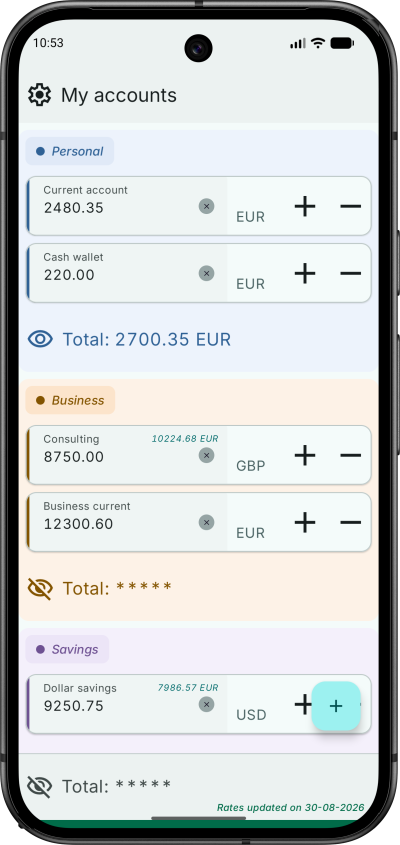
- Create, edit, and delete accounts.
- Fetch currency rates from an API and automatically convert amounts to the selected currency.
- Support all current world currencies.
- Add or subtract amounts from an account balance.
- Import and export data in JSON format for easy backup and restore.
Hair Technique Pro
This is my very first official release of a personal Android app on Google Play, and it’s also my first project built entirely with Jetpack Compose.
I began my mobile development career using Java and XML layouts. After spending several years maintaining legacy code, it took some time to become proficient with Jetpack Compose and its recommended architecture and best practices.
With this initial app I was able to experiment with core Compose components, Material 3 theming, navigation patterns, state management, and play with simple animations.