Eurolinguo 1.5.0 – say your answer out loud
There are two ways to convince yourself you know a word, and Eurolinguo already offered both. You reveal the answer and grade yourself, which is how spaced repetition usually works, and which has one weakness everyone recognises: it is remarkably easy to be generous with yourself. Or you take a listening exercise, where the app plays an entry and marks the option you pick. That one is honest, but it puts the right answer on screen beside a few wrong ones, and recognising an answer is not the same as knowing it.
Eurolinguo 1.5.0 adds the exercise with nothing to pick from. Hold the microphone, say the answer out loud, and the app decides.
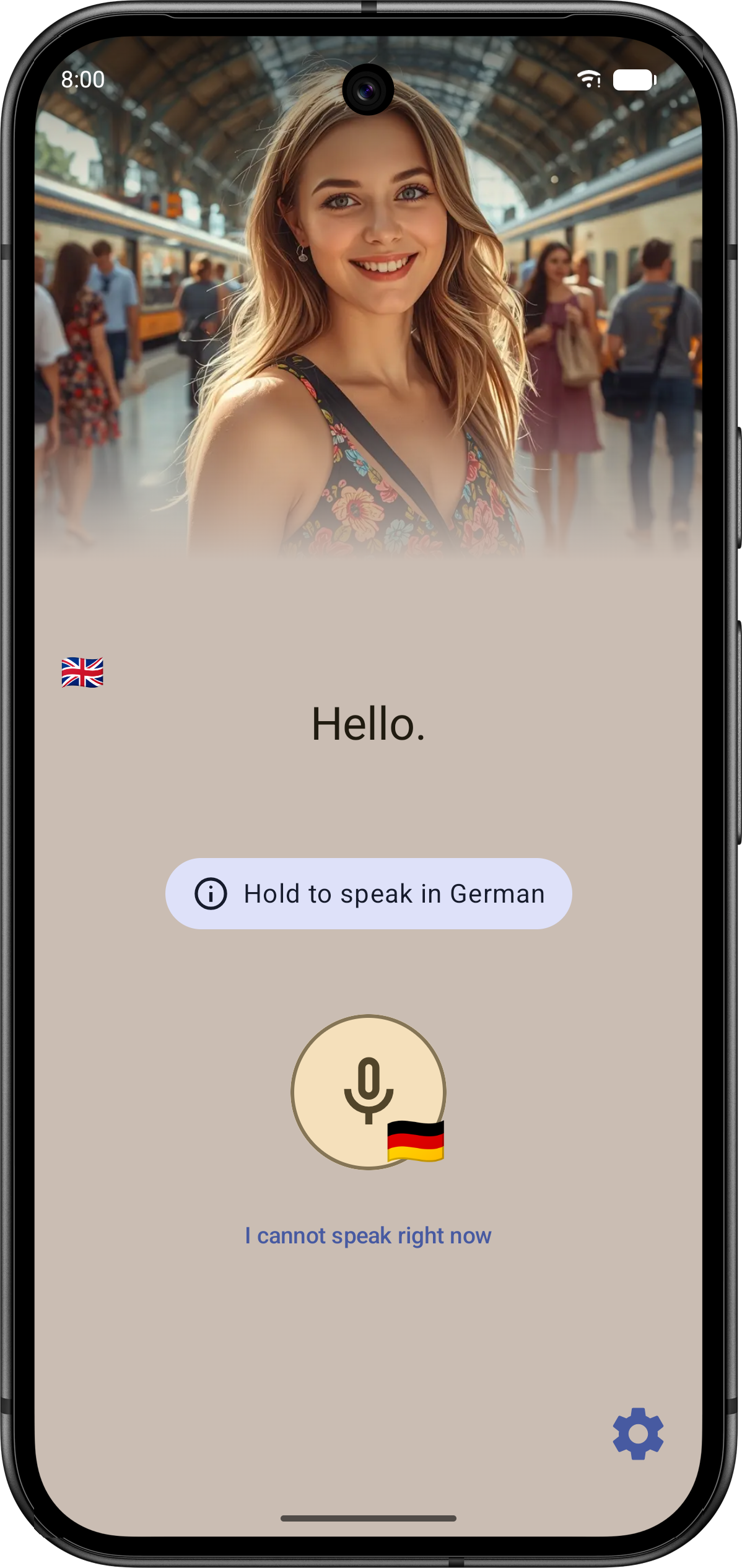
A word only starts being asked for out loud once you have rated it easy several times. Speaking exercises can be skipped or disabled, for situations or environments that require silence.
"Twenty-five" and "25" are the same answer
This is where speaking exercises usually fall apart, and can be witnessed in apps far larger than Eurolinguo. Speech recognisers write numbers as digits, whichever way you said them. So an entry authored as «vingt-cinq» comes back as 25 – and a matcher comparing strings marks a correct answer wrong. Worse are the near misses: spelled out, twenty-five and twenty-six sit a few characters apart, well inside any fuzzy-match threshold loose enough to forgive a real sentence.
Eurolinguo solves it by spelling the number back out. The number-spelling rules published in CLDR – the same locale repository your phone already leans on to format dates and currencies – are vendored into the shared Kotlin module, so the app can generate every form a language offers for a number. That matters more than it sounds: a bare integer carries no gender and no case, and some languages like Polish have plenty of both.
Eurolinguo also handles clock times, currency signs and unit symbols. The voice recogniser might write 20 °C where the entry teaches vingt degrés, or the other way round – which side carries the notation is the recogniser's choice, not the language's, so both directions are tried.
Working with the device you actually have
Speech recognition is a system service, and devices and OS versions vary widely. Some report which languages they support one at a time; older ones cannot report at all. A language pack installed on the device means the exercise runs without a network. The app checks whether a pack is there, and can ask the device to fetch it. Without the pack, recognition falls back to whatever the device's service does, network included.
The recogniser also returns several candidate transcripts rather than one, and any of them may be the answer, so all of them are checked.
Try Eurolinguo on Google Play.
Comments
No comment yet.
A remark, a suggestion? Do not hesitate to express yourself below. Just be courteous and polite, please.