Training Diary 2.0.0
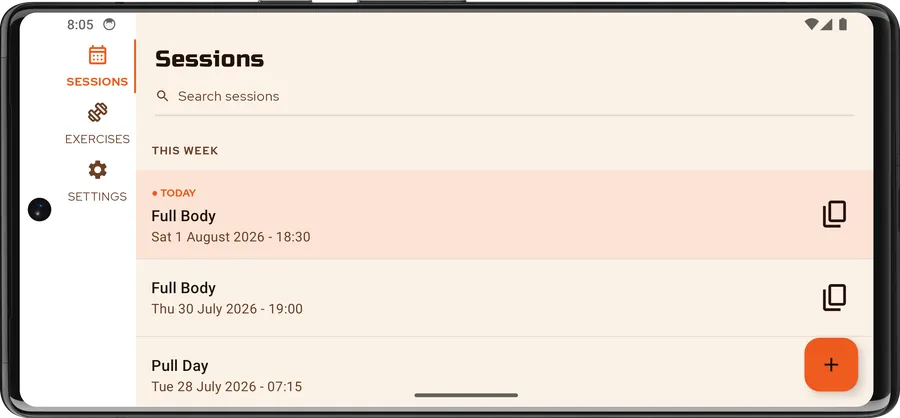
Training Diary is out on the Google Play Store. It is a straightforward log for the training you actually do: sessions, exercises, and sets counted in reps or timed, with weight or elastic-band resistance. It works entirely offline — no account, no sign-in, no backend.
The version number starts at 2.0.0 because this is not a first attempt. The original was a single-platform Android app I wrote years ago, before my official training; 2.0.0 is a complete rewrite in Kotlin Multiplatform, sharing one codebase across Android, iOS and Desktop. Android ships first.
Under the hood
The app is built with Compose Multiplatform on Kotlin 2.4, and all of the UI is shared — there
is no per-platform screen code. The project is split into core:* and feature:* Gradle modules
with a strict dependency direction: domain is pure Kotlin, data implements the interfaces
domain declares, and features never depend on each other. Screens follow MVI, wiring is
Koin, and persistence is SQLDelight
over local SQLite — typed queries, no reflection, and the same schema on every target.
Navigation uses Navigation 3.
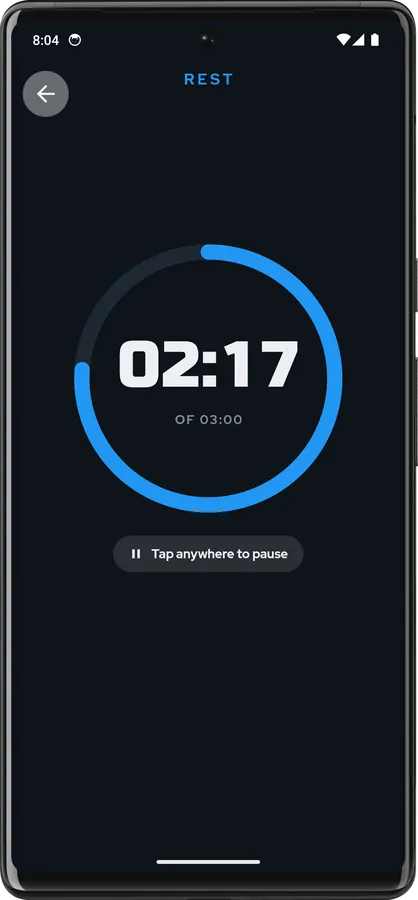
The rest timer was the most interesting cross-platform problem. A countdown that only ticks while
the app is in the foreground is useless between two sets, so the alarm is scheduled with the
platform, not with a coroutine: an expect/actual scheduler backed by AlarmManager on Android
and by a local notification on iOS. It fires when the rest is over whether you switched apps or
locked the screen — and it degrades gracefully to an inexact alarm if the exact-alarm permission
is declined, rather than crashing.
Everything was written test-first, guided by ZOMBIES: roughly four in ten Kotlin files in the
repository are tests, covering domain logic, ViewModels, SQLDelight queries, the Koin graph,
navigation, and the Compose UI itself through runComposeUiTest. detekt, with the Compose
ruleset, gates every build.
Accessibility
Accessibility was part of the tests, not a pass at the end: TalkBack support, touch targets and layouts that survive the largest text and display sizes, light and dark themes, English and French, and tablet and landscape layouts that are laid out rather than stretched.
Your sessions stay on your device. You can export them to a file whenever you want and restore them just as easily.
Comments
No comment yet.
A remark, a suggestion? Do not hesitate to express yourself below. Just be courteous and polite, please.